

New Template Available for the 2026-27 Season
Are you looking for a free English Premier League Prediction Template to track matches, make weekly predictions, and see how your forecasts stack up against your friends’? This all-in-one spreadsheet is perfect for EPL fans who want an easy way to manage the 2026-27 season.
What’s Included in the EPL Template?
This English Premier League prediction spreadsheet has six main tabs:
- Master.Schedule
- Team.Schedule
- Weekly.Schedule
- Weekly.Predictions
- Leaderboard
- Schedules
Master.Schedule: The Core of the EPL Template
This is the main tab where you view all fixtures and results. Update scores in columns I and K, and adjust for your time zone using the fields in column A if you want the time and date to update in column F for the schedule.
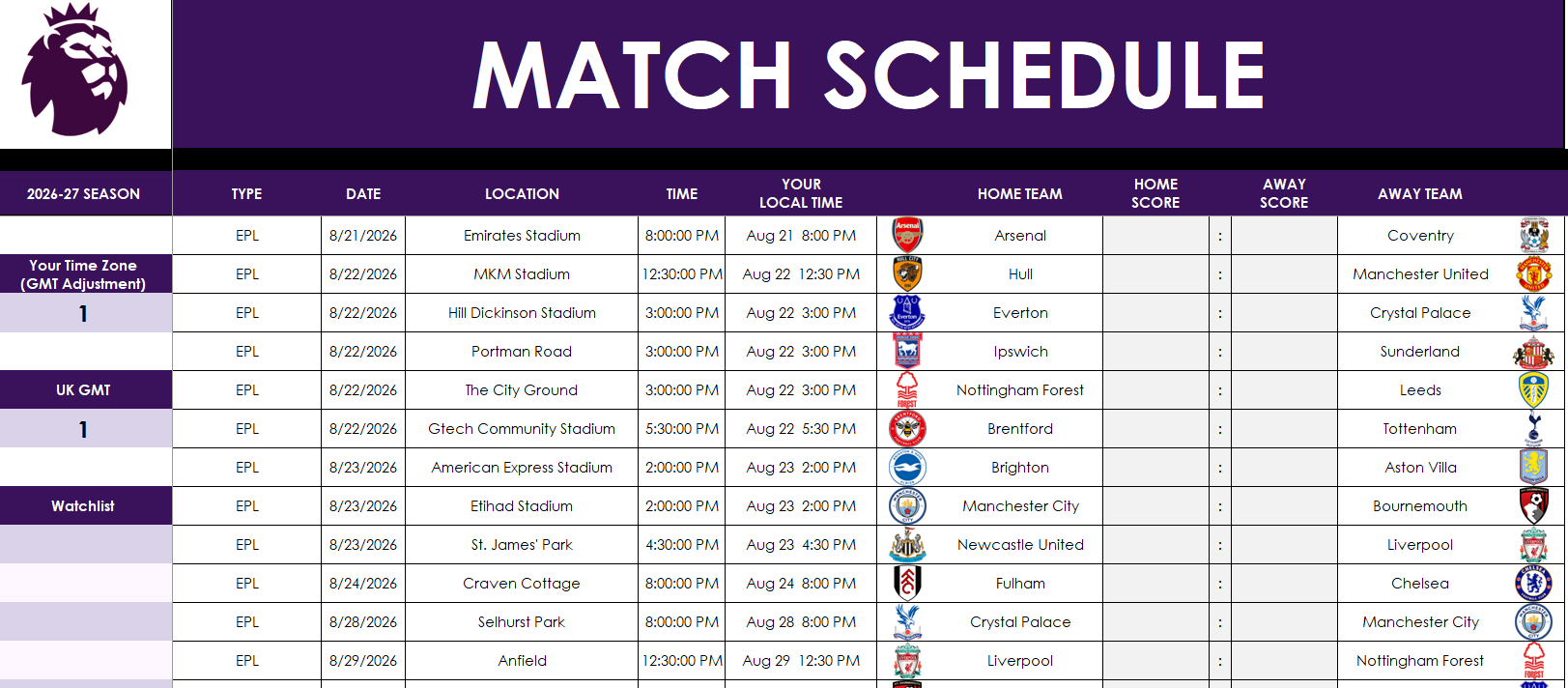
Want to follow your favorite clubs? Use the watchlist starting at cell A12 to highlight one or more teams. This affects other tabs like Weekly.Schedule, helping you quickly spot the matches that matter most to you.
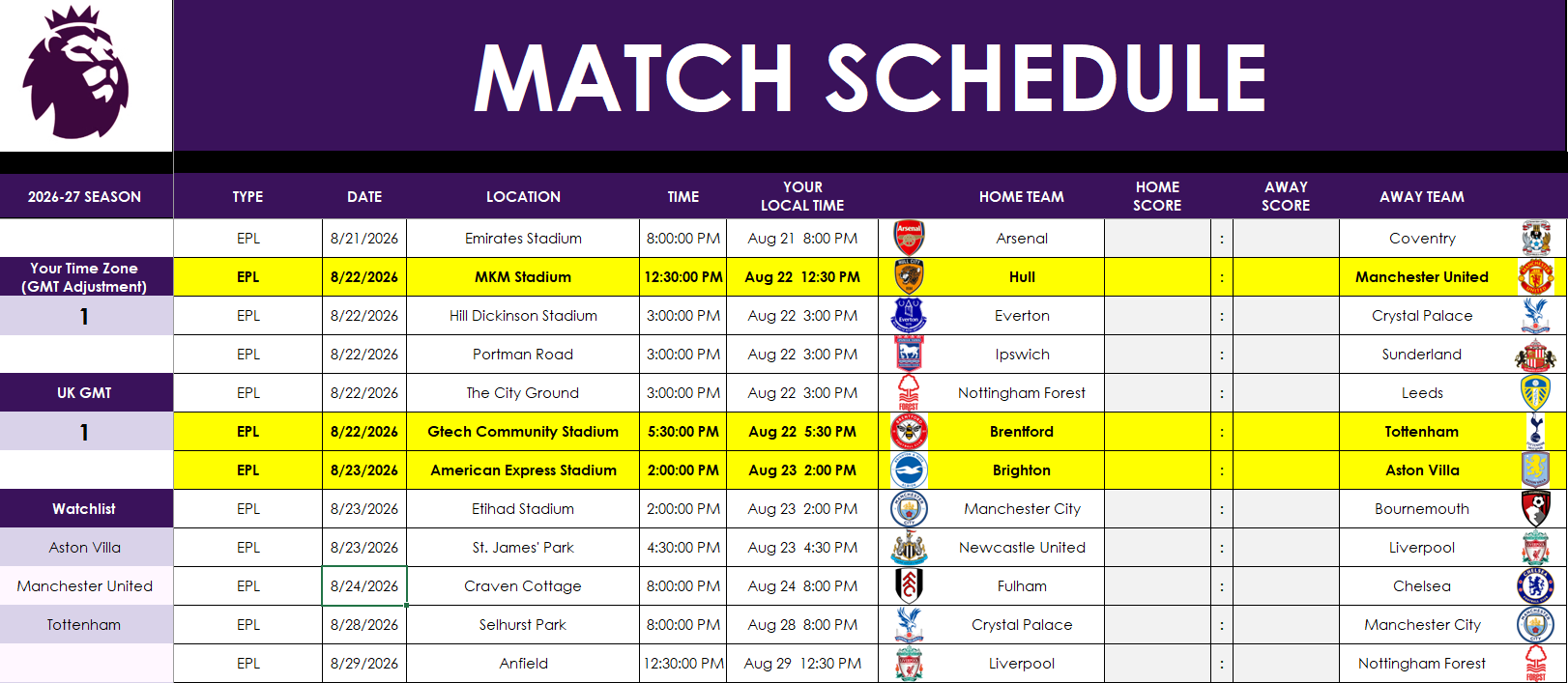
As you update the results, the standings update automatically. If necessary, you can manually set tiebreaker positions in column AK, should the tiebreakers get to that point.
Team.Schedule: View Fixtures for a Single Team
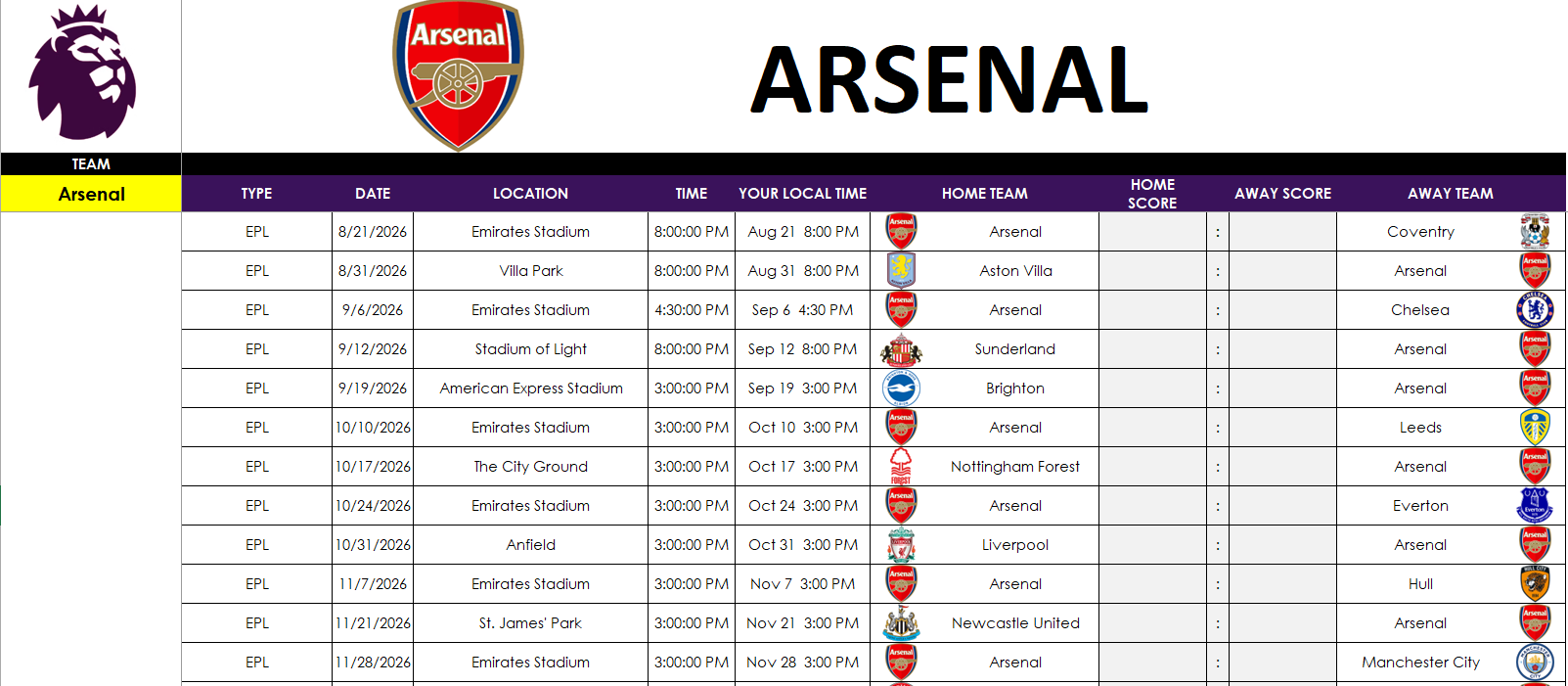
In this tab, pick your team from the dropdown in cell A3, and their schedule auto-populates in columns B:M. It’s a clean, filtered view for tracking just one EPL team. No manual editing is required—this tab pulls directly from the master schedule tab.
Weekly.Schedule: Focus on One Week at a Time
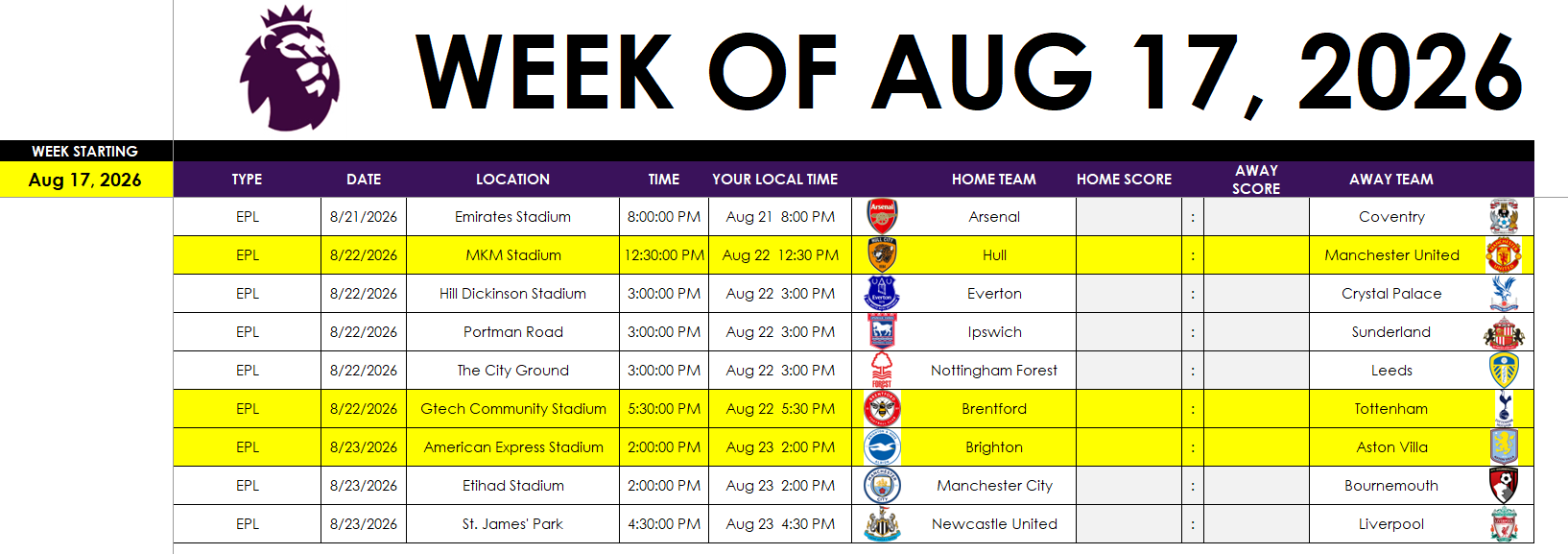
In this tab, select a week in cell A3, and the tab will display all fixtures for that week. Matches involving any teams in your watchlist are highlighted for quick reference. Again, no need to manually enter anything—scores flow from the master tab.
Weekly.Predictions: Compete with Friends
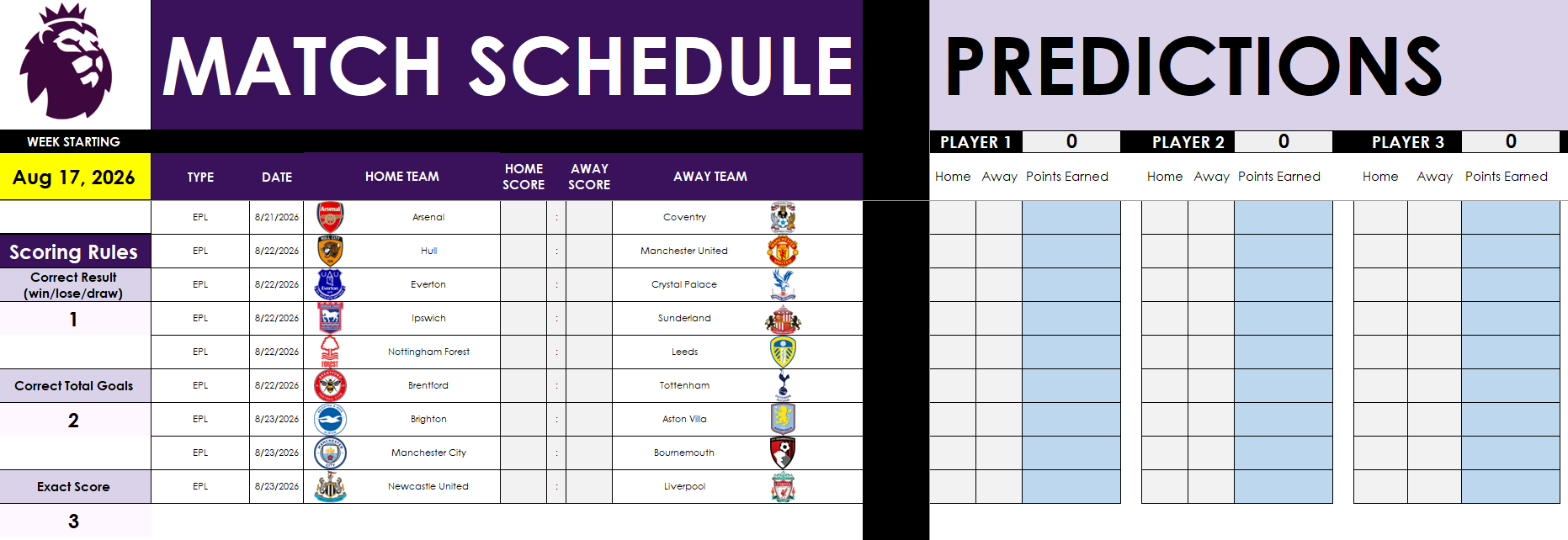
Want to run a weekly EPL prediction game? This tab lets up to 25 players make predictions and earn points. And with this, you can specify the week you want to make predictions for — there’s no worry if you start late or haven’t been making predictions since the start.
- Enter the week number in cell A3.
- Customize the scoring system (e.g., 1 point for the correct result, 2 for correct goals, 3 for exact score).
- Add player names in row 2 and enter predictions starting in column P. There is room for 25 players. If you don’t need them, just delete the names, and they won’t populate on the leaderboard tab.
- Scores will auto-update based on the scores from Master.Schedule – do not make changes and enter actual results on this sheet.
Leaderboard: Track Your Prediction Results
The current week’s results will populate on the leaderboard, in row 72:

When the week is complete, copy the values to the table above, which is where you can update the points per week, in the actuals section.

In the above example, I’ve filled in values 1 through 25 for each of the players. You will override this with your own prediction results for week 1. And then, as the following week completes, copy the scores (from row 72) to the correct section on the actuals.
The data will then populate above, giving you a cumulative score for each player, along with a chart showing the results visually.

On the Google Sheets version, the chart will automatically update. However, on Excel, since a pivot table is used to show only the active players, you will need to Refresh the data (from the Data tab). Otherwise, the chart will not update. There is a reminder on the Excel workbook to do this refresh.

NEW! Track Multiple Competitions
In this latest version, I’ve created a new tab, called SCHEDULES, where you can make changes to the schedule and add matches from other competitions, such as the FA Cup and Champion’s League.
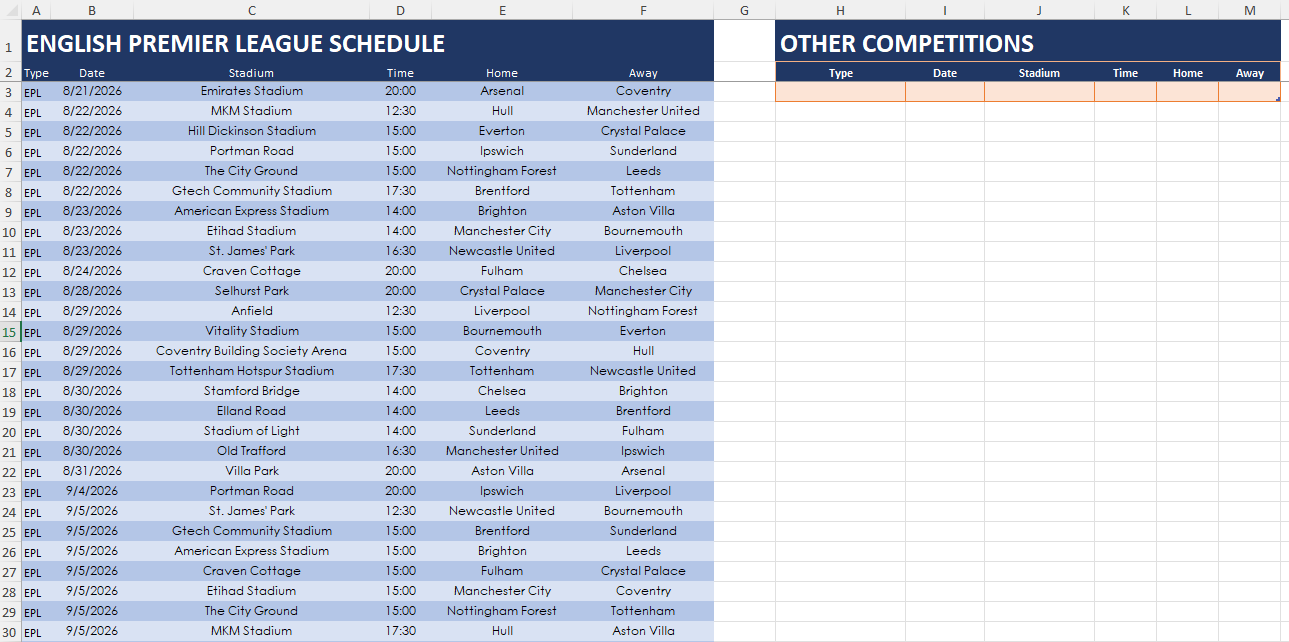
If you need to make changes to the Premier League schedule, do so in columns A:F. For tracking any other competitions, enter those details in columns H:M. The schedules will be consolidated in columns O:T (do not make changes there). This consolidated schedule will now flow through to the other tabs, allowing you to track multiple competitions while also making predictions for them.
Download the English Premier League Prediction Template
If you’re ready to go and want to give the template a try, you can get started right now:
- Excel: Download the template here
- Google Sheets: Download the template here
When you click on the link, you’ll be prompted to make a copy of the file. This is to ensure that you have your own unique version of the file to work with.
This Premier League Prediction Template for Excel and Google Sheets is completely free to use and customize.
If you have any comments, questions, or suggestions about the template, please contact me!
If you liked this English Premier League Prediction Template for Excel and Google Sheets, please give this site a like on Facebook and also be sure to check out some of the many other templates that we have available for download. You can also follow me on Twitter and YouTube. Also, please consider buying me a coffee if you find my website helpful and would like to support it.