HowtoExcel.net
cropped-h2e100x100.png

HowtoExcel.net

Analytics. Automation. Process Improvement.

  • Home
  • Blog
  • Templates
  • Tools & Calculators
    • Average Down Calculator
    • Compounded Annual Growth Rate Calculator
    • Inflation Calculator
    • Investment Growth Calculator
    • Live T-Account Template
    • Minimum Payment Calculator
    • Money Spent Calculator
    • Mortgage Payment Calculator
    • Mortgage Payment Calculator — Interest Rate Sensitivity
    • Mortgage Payment Sensitivity Calculator
    • Price-to-Earnings P/E Calculator
    • Stock Average Calculator
    • Time Spent Calculator
  • Shop
  • Cart
  • Contact Me

Macro to Replace Cell References with Formulas

February 19, 2016
by admin macrosvba

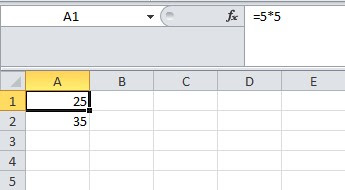
When creating a complex formula sometimes you use multiple cells to get to a desired result. Then at the end you may want to join all those cells into one large formula. You can do this by copying formulas to replace the cell references but it's not ...
Read More
0

Custom Function: Extract All Matching Data

February 9, 2016
by admin advancedfunctionsvba

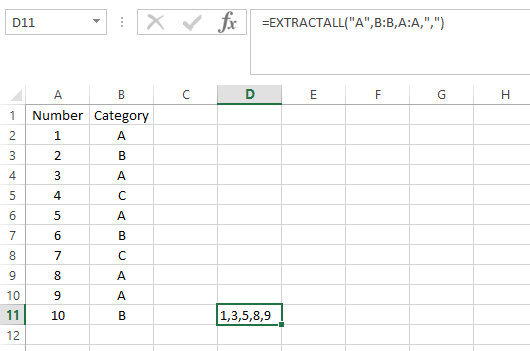
The purpose of this function is to act as multiple vlookups to pull all data that has multiple matches, and allows the user to specify how they want the data delimitedThe function is called EXTRACTALL and it has four arguments:Argument 1: Looup Field ...

Read More
0
acashflow

Cash Flow & Calendar Template

January 15, 2016
by admin calendarcashflowtemplate

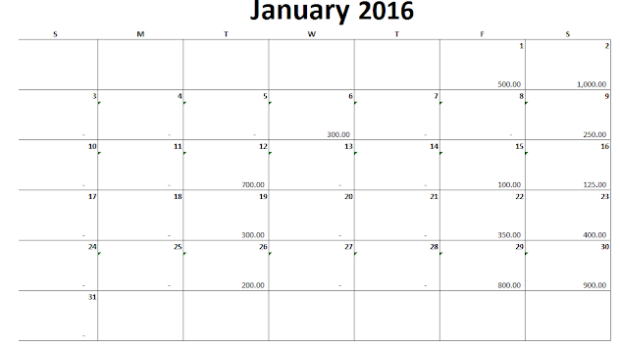
In this post I have attached a simple calendar template that will allow you to generate a new calendar by just changing the month name or year. In addition there is an empty space for each day that by default tracks cash flows (from the data tab). Yo ...

Read More
0
aar

Create an Accounts Receivable Customer Statement

May 23, 2015
by admin templatevbafree

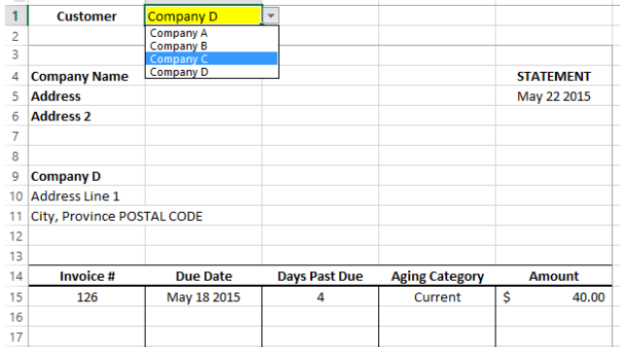
TEMPLATE - AR STATEMENT This is a template designed for creating customer statements from invoice and customer data. Some accounting software (specifically some ERPs) are not the most user-friendly and creating an easy-to-use statement that is cus ...

Read More
1

Simple VBA Tricks

May 18, 2015
by admin beginnertips & tricksvba

A couple quick snippets of VBA code that can help you impress your friends although might not have much real utility.First up: have Excel speak to youApplication.speech.speak "text"Where text is what you want Excel to say. Just like with any other co ...

Read More
0

Removing Blank Spaces

May 9, 2015
by admin intermediatesubstitutetips & tricks

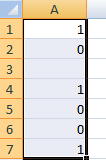
When copying data into Excel from other sources - be it web pages, documents, or other Excel documents sometimes you end up with unwanted formatting, such as numbers with invisible spaces that prevents it as being read as a number or converted into o ...

Read More
0

Pivot Tables: Avoid Changing Data Sources with Named Ranges

May 19, 2014
by admin advancedpivot tableranges

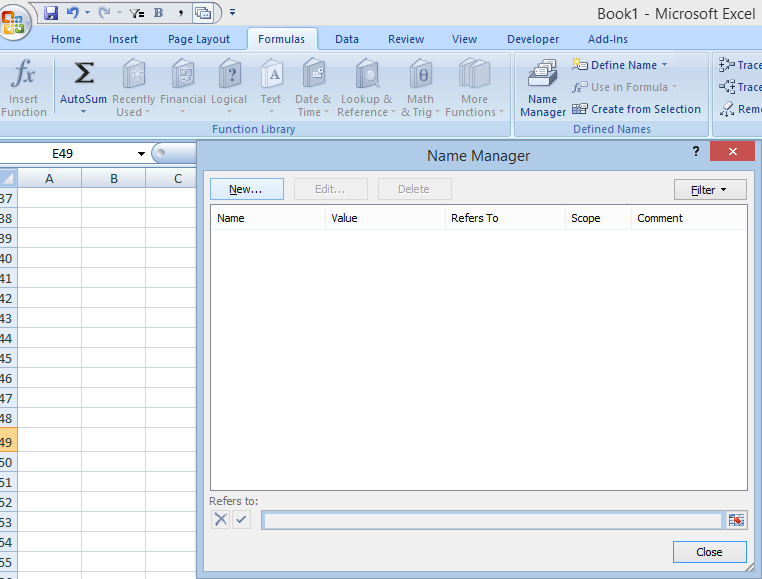
When working with a pivot table, you determine a data source to use for that table. But what if later you add rows or columns? You'll normally have to change the data source to include the updated range, otherwise your pivot table isn't including you ...

Read More
0

Formula to find day of week occurrences in Excel

April 26, 2014
by admin advanceddates

In my previous post I showed a function that can help pull a certain instance of a day of the week using VBA. In this post, I'll show how to do that without VBA. Specifically, three things this post will look at: 1) how to find the first Monday ...

Read More
0

Find the xth occurrence of a day in a month

April 19, 2014
by admin advanceddatesfunctions

This function is called dayx. It consists of the following arguments: occurrence number, day of the week, month, year. For example:dayx(2,"Monday",10,2014)  or dayx(2,1,10,2014) will return the second Monday of October 2014, which is October 13, ...

Read More
0

Cleaning up data – getting rid of blank or 0 values in Excel

April 8, 2014
by admin macrosvba

This function is designed to help clean up a spreadsheet if you want to either delete or hide cells that have 0 or empty values. How this works:I select a range of data that I want to get 0s and blank cells out of (it doesn't have to be a column) and ...

Read More
0
LOAD MORE
LOADING
cropped-h2e100x100.png

HowtoExcel.net

Analytics. Automation. Process Improvement.

© 2019 Company. All rights reserved.  Powered by  Phlox Theme

Shopping Basket

HowtoExcel.net

  • Home
  • Blog
  • Templates
  • Tools & Calculators
    • Average Down Calculator
    • Compounded Annual Growth Rate Calculator
    • Inflation Calculator
    • Investment Growth Calculator
    • Live T-Account Template
    • Minimum Payment Calculator
    • Money Spent Calculator
    • Mortgage Payment Calculator
    • Mortgage Payment Calculator — Interest Rate Sensitivity
    • Mortgage Payment Sensitivity Calculator
    • Price-to-Earnings P/E Calculator
    • Stock Average Calculator
    • Time Spent Calculator
  • Shop
  • Cart
  • Contact Me